
You’re trying to see who’s awake right now across a distributed team, and keep that shared view accurate week after week. Pick the wrong approach and you’ll either leak team context to the wrong people, or ship “looks right” time conversions that break during daylight-saving switches.
This comparison gives you a clean way to decide: first define the job (awareness board vs scheduling/integrations), then weigh onboarding friction, privacy and access boundaries, and time correctness around DST edge cases—ending with a scenario decision table you can use to make the call quickly.
Define the job
Awareness board
If your main job is “who’s awake right now?”, optimize for a shared, low-effort awareness view—not scheduling mechanics.
Timezone.io’s Team view is built as a board grouped by local time, and it’s explicitly designed to be shared as “one link to share”: you send a single public board link and teammates can add themselves with no account or setup on their end. That’s strong when you want instant visibility across lots of people, including folks outside your org.
Mapfolks takes the opposite stance: a team map that shows each teammate’s general location and current local time, with “Invite-only · City/region-level · No background tracking,” and invites that can be sent via a private link or direct email. If your “who’s awake” board must be identity-gated and deliberately non-precise, that access boundary becomes the job.
This is the first fork: share-by-link convenience versus invite-gated privacy discipline.
Scheduling and integrations
Visibility is enough when humans are choosing a time and confirming it in chat. You need a different tool when your job is deterministic conversions and repeatable downstream behavior.
Timezone.io draws that line with its API:
/v1/convert converts one source time to up to 10 target time zones in a single request, and it exposes a resolution policy—earliest, latest, or reject—for ambiguous or skipped wall times around DST transitions. That’s scheduling logic you can codify.The trade-off is operational: API access uses a personal access token sent as an
Authorization: Bearer <token> credential, with no separate scopes (a token can read every endpoint in v1). Email verification is required for API access, and the documented rate limit is 5 requests per second per token.If you’re not building workflows on top of conversions, don’t buy the complexity just to answer “what time is it for them?”
Onboarding friction
The practical “cost” here is who has to authenticate and keep their info current. Timezone.io concentrates setup on the team creator/admin; Mapfolks requires each member to create an account (Google or email/password) before they can join and show up correctly.
| Friction point | Timezone.io | Mapfolks |
|---|---|---|
| Who must log in | Team creator/admin logs in to create/manage team | Each member creates an account (Google or email/password) |
| How teammates join | Invite-based self-add to the team view | Invite via personal link or email; connections are explicit and mutual; invitation links expire automatically |
| Info each person provides | Self-entered profile details to appear on the board | Name/avatar + location; location only accessed when you load the app or open location settings |
| Staying current (coordination) | Admin attention to keep the roster accurate | Members must explicitly update location; raw location input is auto-deleted within 14 days (approximate location retained) |
The key difference is where ongoing upkeep lands: Timezone.io tends to make one person responsible for roster hygiene, while Mapfolks makes each member explicitly responsible for keeping their own location current.
Privacy and access
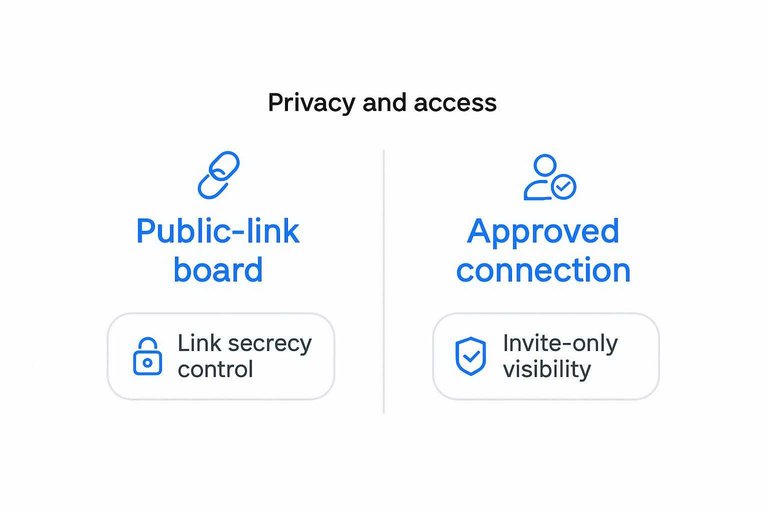
For these tools, the real security decision is the access boundary: a Public-link access boundary (anyone with the URL can view, often without signing in—security depends on link secrecy and distribution control) versus an Approved connection (invite-only visibility) (visibility only after explicit approval, not just possession of a link). If your team has privacy expectations or compliance constraints, that boundary is the go/no-go—not the UI.
Public-link board
Timezone.io’s Team feature is deliberately share-by-link: a “single public board link” you can hand to others. That’s a legitimate advantage when you want fast, low-friction visibility across a changing set of people.
The trade-off is that link secrecy becomes your control plane. Treat it like Google Drive’s “Anyone with the link” sharing: the URL can be forwarded or resurface in old threads, and access isn’t inherently attributable to a specific identity. That’s the line that gets crossed when the board contains internal team context you wouldn’t post on the open internet.
Invite-only map
Mapfolks is built around Approved connections: location/time context is visible only to people you’ve explicitly approved, and it states it does not create public profiles. Invites can be sent via private link or email, and the invitation links expire—so access isn’t a permanent, forwardable URL that lives forever in old threads.
On the data side, it also draws a tighter boundary around what’s shared and collected: it says it does not track precise GPS coordinates by default, does not record movement history/routes, and has “no background tracking.” It also states raw location input is automatically deleted within 14 days, with only an approximate version retained to provide the service.
If you need “only approved people can see anything” to be true by design (not by careful link hygiene), invite-only visibility is the safer default.
Time correctness
“Looks right right now” is a different problem from “will stay correct when the rules change.” A map or board that shows a teammate’s current local time (as Mapfolks does) is usually enough for overlap awareness, because you’re reading the present without having to store or interpret future timestamps.
Operational time handling starts when you store a future meeting time, sync it into calendars, or fan it out into workflows. At that point, you want to model time with an IANA time zone ID—a canonical identifier like “America/New_York” that maps to a location’s time rules in the IANA time zone database—instead of a UTC offset—the numeric difference from UTC (e.g., “-04:00”) at a given moment; it can change with DST. Offsets are snapshots; IANA IDs carry the rules.
That difference shows up in two places teams trip over: DST transitions and downstream integrations. The practical takeaway is that “time as a display” (quickly seeing what time it is for someone) is a separate need from “time as data” (scheduling, automation, and guarantees), and tools tend to be better at one than the other.
DST edge cases
Daylight Saving Time (DST) creates wall-clock times that are either ambiguous or impossible.
A DST fold / ambiguous time is when clocks move back and a local wall time occurs twice (for example, 01:30 happens two times). A DST gap / missing time is when clocks move forward and a local wall time does not occur (for example, 02:30 never happens).
This is where timezone.io’s API becomes more than a convenience UI. Its
/v1/convert endpoint doesn’t just “pick one” during folds/gaps; it exposes an explicit ambiguity policy via resolution (earliest, latest, or reject). That turns a hard-to-see scheduling bug into a deliberate decision you can enforce across systems.It matters most when you convert one source time into many destinations and then automate what happens next.
/v1/convert can return 1–10 target time zones in one request, so the same policy applies consistently to everyone—rather than each client library or calendar integration silently doing its own thing during DST. That’s a different layer than simply keeping a shared view of teammates’ current local times for day-to-day coordination.The trade-off is that you’re now doing API-grade time modeling. You’ll authenticate with a Bearer token (personal access token)—a secret string sent in an HTTP
Authorization header that grants API access; anyone who has it can act as the token owner—and you must decide what “correct” means for ambiguous inputs.One more practical edge: long-range or backfilled conversions. Timezone.io supports Unix timestamp (
at) inputs in seconds only for years 2000–2100; outside that range you use ISO-8601 datetime strings. If your system schedules far out—or reconciles historical records—that constraint is the kind of detail that decides whether you want “time as data” versus “time as a display.”Where timezone.io wins
Timezone.io is the better fit when you need to share a “who’s awake” view instantly and you care about treating time as structured data you can enforce in systems.
- Fastest sharing for mixed audiences: when you need to drop a link into a thread and have contractors, partners, or a fast-changing roster show up without ceremony.
- Strong at-a-glance scanning: the board-style layout is built for quick “can I ping them?” decisions, not for building a meeting policy.
- Time travel slider: a draggable timeline control that lets you preview “what will local times look like later?” without doing mental math.
- Developer-friendly timezone cataloging: if you’re syncing a timezone list into your own UI,
GET /v1/timezonessupports pagination withper_pagefrom 1–500 (default 50). - Operational correctness hooks: timezone records can include
dst.next_transition, and it may benullif there’s no DST transition in the next 5 years—so you can’t assume a change is always scheduled.
On the API side, you also get rate-limit plumbing (
X-RateLimit-Limit, X-RateLimit-Remaining, Retry-After) and a clean failure if the account email isn’t verified (HTTP 403). That’s “explicit disambiguation” territory; it’s overkill if you’re fine with silent UI defaults.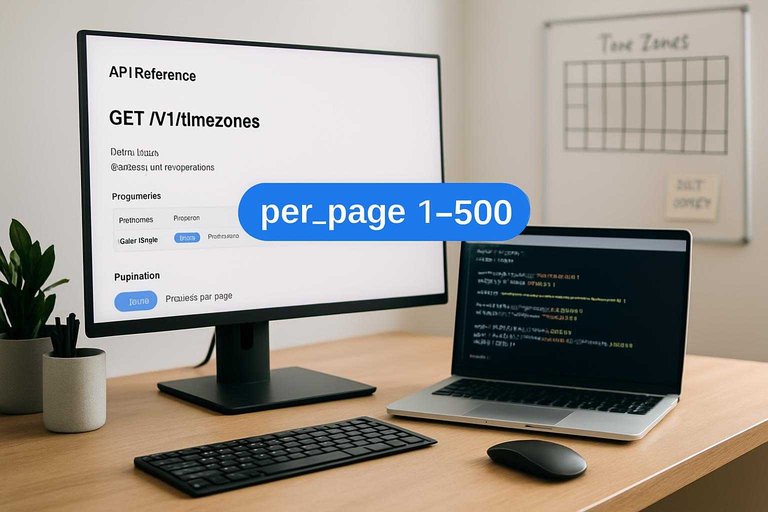
Scenario decision table
Use this to pick based on which access boundary you can live with (public link vs invite-only) and whether you need API-driven conversions.
| Scenario | Pick | First setup step | Why it fits |
|---|---|---|---|
| Internal, privacy-first visibility | Mapfolks | Create a map; invite by email | Invite-only boundary; city/region |
| Share a board to contractors today | Timezone.io | Create Team board; share public link | Zero-account viewing; fastest rollout |
| “Where are they?” context matters | Invite-only map | Ask for city/region per person | Location + local time in one view |
| API-driven conversions in workflows | Timezone.io API | Verify email; generate a PAT | Deterministic conversions you can codify |
Internal, privacy-first visibility: Pick Mapfolks if “only explicitly invited people can see anything” is the requirement, not a preference. First step: send invites by email and have each teammate create an account (Google or email/password); also note its published minimum age requirement is 16.
Share a board to contractors today: Pick Timezone.io when speed beats identity-gating. First step: create the Team board and drop the single public link into the contractor thread—then treat that URL like a credential.
“Where are they?” context matters: Pick the invite-only map when rough location context (country/region/city) is part of the decision, not just the offset. First step: standardize how people enter their location so you don’t end up with “NYC,” “New York,” and “EST” as three different things.
API-driven conversions in workflows: Pick Timezone.io when you need conversions as data, not just a UI. First step: verify the account email (unverified accounts get HTTP 403: “The account's email address isn't verified”), create a personal access token (PAT), and wire your system to call the conversion endpoint with an explicit DST resolution policy (see the API error contract).
Undocumented admin needs: If you require SSO/SAML, role-based access, audit logs, or formal offboarding/export controls, neither product’s public pages settle it—plan a support check up front (Mapfolks references Supabase for authentication).
Choose the access boundary first
If your real risk is exposing team context to the wrong people, pick Mapfolks: invite-only visibility and city/region-level sharing make “who’s awake right now?” work without turning a forwardable URL into your control plane. Choose Timezone.io when speed and openness are the job—dropping a single public board link for contractors—or when you need conversions you can enforce in systems with an explicit DST fold/gap policy (earliest/latest/reject). Just be clear-eyed about what you’re accepting on that path: link secrecy is the boundary for the board, and API access hinges on a Bearer token with no separate scopes plus the operational limits that come with it. Your first step is simple: decide whether your team can live with a public-link access boundary; if not, create a Mapfolks map and send email invites.